Ilumax Systems · Singapore

Less admin.
More coaching.

Enquiry and trial workflows for sports academies, built around your booking tools and staff.

Keep parent requests moving while your coaches teach. From a programme question to a clear next step.

A person arranges your call. No instant reservation.

Start with one academy.One location. One booking system. One enquiry channel.
Enquiry → staff actionInteractive demo
Parent enquiry Fictional exampleTrial request
“My eight-year-old would like to try football. Is there a class after school?”
Programme fitFoundations · ages 7–9
Class capacityTwo trial places confirmed by staff

Ready for staff confirmation

A trial with a clear next step.

Response & staff handover

Useful response

Use the academy’s approved programme information. Offer the staff-confirmed trial option, then record the guardian’s choice for confirmation.

Staff’s next step

Staff confirm the trial details with the guardian. Attendance is recorded after the session; paid enrolment is checked separately.

Programme match and capacity checked

Parent enquiry Fictional exampleTrial request
“Can my children, aged seven and eleven, attend together on Saturday?”
Programme fitFoundations · ages 7–9 / Development · ages 10–12
Class capacityCheck a place for each child separately

Two capacity checks required

One guardian. Two suitable routes.

Response & staff handover

Useful response

Keep one guardian enquiry, with two programme requests. Explain the approved age groups and ask staff to check both classes and practical timing.

Staff’s next step

Staff return with suitable options for each sibling. A free time in a calendar does not establish places in either class.

Keep the family enquiry together

Parent enquiry Fictional exampleTrial request
“We would like the Saturday morning trial. Can you book us in?”
Programme fitProgramme suitable · preferred class full
Class capacityNo place available in the requested class

Human handover

A full class goes to a person.

Response & staff handover

Useful response

Explain that the requested class is full. Ask whether the guardian would like a staff callback about alternatives or the academy’s approved waitlist process.

Staff’s next step

Send staff the programme, preferred time and callback request. Do not promise a place, enrol the child or take a payment.

No booking promised

Fictional demonstration. These examples do not send messages, access a booking system or reserve places.

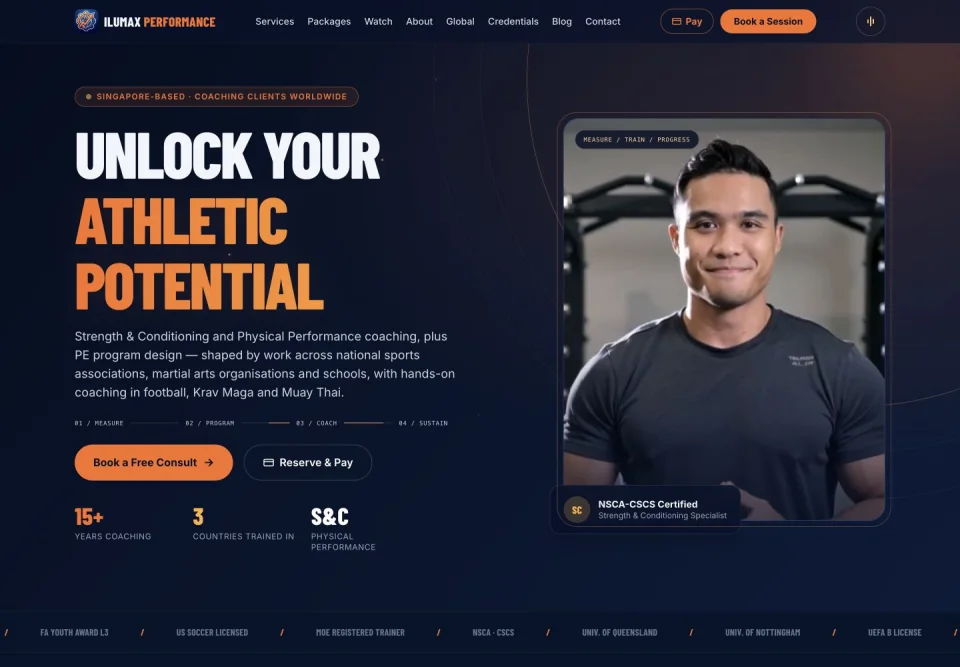
The Ilumax Performance coaching website, an existing Ilumax project
Ilumax PerformanceOur existing coaching website · related work, not an academy pilot result.

Coaching insight.
Software thinking.

Good systems start with understanding the people who use them.

Ilumax brings software delivery together with sports programme, coaching and management experience. That helps us ask practical questions: who can attend, whether there is a place, and when a person needs to step in.

Meet the studio

Every enquiry.
A clear next step.

Keep enquiry, attendance and paid enrolment as separate records. Each needs its own evidence.

  1. Enquiry

    Capture the guardian’s programme question and preferred way to hear back.

  2. Approved programme match

    Use the academy’s age bands and approved guidance. Refer exceptions to staff.

  3. Capacity or callback

    Confirm actual class capacity with the accepted source. When uncertain or full, hand over.

  4. Attendance

    Record whether the trial took place. A booking is not attendance.

  5. Follow-up

    Use agreed timing, consent and staff review to help the guardian decide.

  6. Verified enrolment

    Count a paid enrolment only when the academy’s payment or enrolment record confirms it.

A focused start.
Clear ownership.

One location, one booking system and one primary enquiry channel. Scope and costs agreed before you decide.

In the pilot

  • Map one enquiry-to-trial workflow with your team.
  • Prepare approved programme answers and age-group guidance.
  • Agree class-capacity checks and when staff take over.
  • Set follow-up rules, staff responsibilities and a pilot review.

Your tools. Your control.

Keep your academy’s accounts in your control, with agreed access for the work we support.

We document approved answers, escalation contacts and the operating process. Support hours, response arrangements and review points are agreed in the proposal. Staff retain the decision when capacity or programme fit needs judgement.

What is agreed separately?
  • Additional locations, booking systems or enquiry channels.
  • Provider subscriptions and usage charges.
  • Work beyond the written support allowance.
  • New payment, participant-record or clinical-data workflows.

We agree setup, ongoing fees, tool costs and support limits before work or payment. The pilot does not guarantee more enrolments.

Measure useful change.

Agree a baseline and a review period first. Compare like-for-like records, including enquiries that do not convert.

Response time
Time to a useful answer, with after-hours requests identified.
Staff handovers
Which requests need a person, and whether they are picked up.
Trial attendance
Attended trials compared with confirmed trials.
Paid enrolment
Verified enrolments compared with completed trials.
Staff time
Time spent handling enquiries and operating the pilot.

Before we begin.

Can we keep our booking tool?

That is the starting point. Discovery checks the current tool, its access options and your staff process. If a safe connection is unavailable, we scope a staff callback or manual handover rather than promise an integration.

What happens when a class is full?

The enquiry goes to an agreed staff contact. An alternative or waitlist is offered only under your academy’s approved process. Calendar availability alone never confirms a place in a class.

How are sibling enquiries handled?

One guardian enquiry can contain separate programme requests. Each age match, class and capacity check stays distinct, so one child’s suitable class is not treated as a place for both.

Does this form book a call or trial?

It requests a discovery conversation with Ilumax. A person will arrange a suitable time. It does not reserve a call, academy trial or class place.

What will the pilot cost?

We agree the workflow, supported tools, setup fee, monthly support allowance and separate provider costs before you decide. This academy pilot is a different scope from our general AI receptionist service. No payment is taken here.

What information should we send?

Describe the business process and tools only. Do not send children’s names, birth dates, health details or participant lists through this sales enquiry. Any later participant-data workflow needs an agreed access and handling process.

Tell us about
your academy.

Request a 20-minute discovery call.

We aim to reply within one working day to arrange a time. Nothing is reserved by submitting this request.

Email Dzul

Business details only. Please leave out children’s names, health information and participant records.

A question before you begin?
Ask Hana, or speak with the team.

Find your next step.